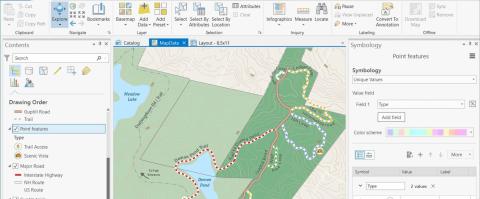
Workshop summary Get started using ArcGIS Pro! This 1-day workshop is designed for current ArcMap users or new ArcGIS Pro users who want to explore the basics of working with ArcGIS Pro. Participants will be introduced to the ArcGIS Pro interface and project structure, and learn workflows for editing, geoprocessing, creating layouts, and sharing their work.



Participants will learn to symbolize and edit data | manipulate attribute tables | add annotation | create layouts | share GIS products
Software discussed Learn about ArcGIS Desktop | ArcGIS Pro
Length 9:00am to 3:30 pm
Dates January 27, 2026 | April 8, 2026 | June 4, 2026 | Register for September 9, 2026 workshop | Register for December 1, 2026 workshop
Format REMOTE - students attend via Zoom
Cost $229 standard | $149 reduced
Note while no GIS experience is required to attend this workshop, GIS is inherently technical - people with little to no GIS experience should consider taking GIS 101: Learning to Map in the Digital Age workshop before attending this workshop
Cost note reduced rate applies to educational, non-profit, and governmental participants
Contact content - email Shane Bradt or call +1 603 862-4277 | logistics - email Jen Adie or call +1 603 862-1029


Related Links
Contact


